

Why I kept their spreadsheet
A workflow automation case study for a school bus transportation company: 200+ drivers, 4 office staff, and 15 hours saved every week

My debut post for my new section, Workflow Improvement and Automation!
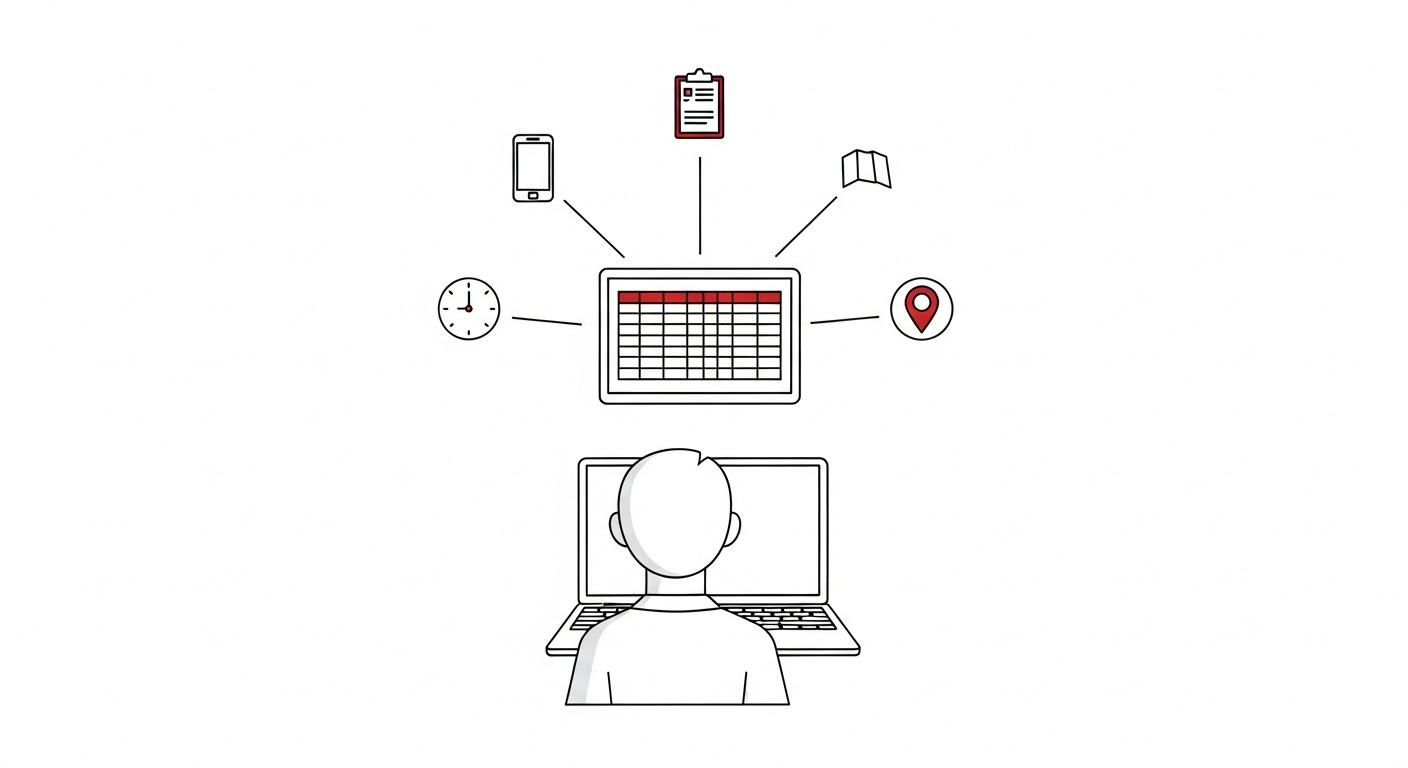
On the first morning, I sat with the office staff and watched Sarah, the coordinator, text drivers from her personal phone.
The trip schedule lived in a Google Sheet on the computer next to her. For each trip, she opened the right month tab, read the details from the sheet, copied them by hand onto a printed driver report, took a photo of the form, and sent it to the driver. Then she waited for confirmation. Then she did it again. And again.
By the fifth report, the problem was obvious. The spreadsheet wasn’t broken. The workflow around it was.
The office manages daily school bus routes and activity trips for a school transportation company with more than 200 drivers and over 200 trips each month. This project focused on activity trips: field trips, athletic events, weekend competitions, and after-school programs. Out of the five office staff, two people were responsible for handling that work.
The process technically worked. Trips got covered. Drivers received their details. The office kept moving. But underneath the surface, the workflow depended on a fragile mix of personal phones, handwritten forms, Google Sheets, paper filing, memory, and repeated follow-up.
Learning the rhythm of the office first
I spent the first 2 days in the office mostly sitting with the team while they worked, asking small questions whenever something looked manual or when I needed to understand why a step was done a certain way.
By the end of day one, I had a map of their daily routine. By the end of day two, I started seeing the patterns. I could see what was slowing them down, what process looked unreliable, and what they would benefit more from. By the end of day three, I knew what needed improvement and what should stay exactly the same.
For some context:
The owner didn’t want to invest in anything new or completely change what they had. They just wanted to improve what they were already using. And the office staff loved using Google Sheets, but needed help improving how they had it set up. They weren’t sure exactly how to phrase it, but they wanted to improve reporting accuracy, and it turned into a useful system they love. Not only did it improve accuracy, but it also reduced repetitive work, saved Sarah time, and made better use of the tools they were already using.
What the office was actually doing every day
The schedule was stored in monthly tabs in a Google Sheet. A month and a year. January 26. February 26. March 26. All the way to the end of the year.
Each tab contained rows for drivers, bus numbers, times, pickup, drop-off, and return information, among other things. The office had worked inside that structure for years. Everyone understood it. Nobody wanted to replace it entirely.
When a trip came in, the coordinator would open the correct month tab, find the row, and handwrite the trip details onto a driver report form.
Then the process moved to her phone.
She would take a picture of the form, text it to the driver, and wait for confirmation.
Sometimes the driver confirmed immediately. Sometimes the handwriting on the form was hard to read, so dispatch had to call and clarify the details. Sometimes, language barriers caused confusion about pickup times or locations. Other times, missing information on the paperwork meant the coordinator had to track down the correct details before the trip could be finalized.
Once the confirmation was received, the coordinator updated the spreadsheet and filed the paper copy away.
A single trip usually took about 20-30 minutes of attention from start to finish if everything went smoothly.
A school adjusted a pickup time. A driver swapped routes with another driver. A trip was canceled entirely. Every change meant another handwritten form, another picture, another text thread, another update to the spreadsheet.
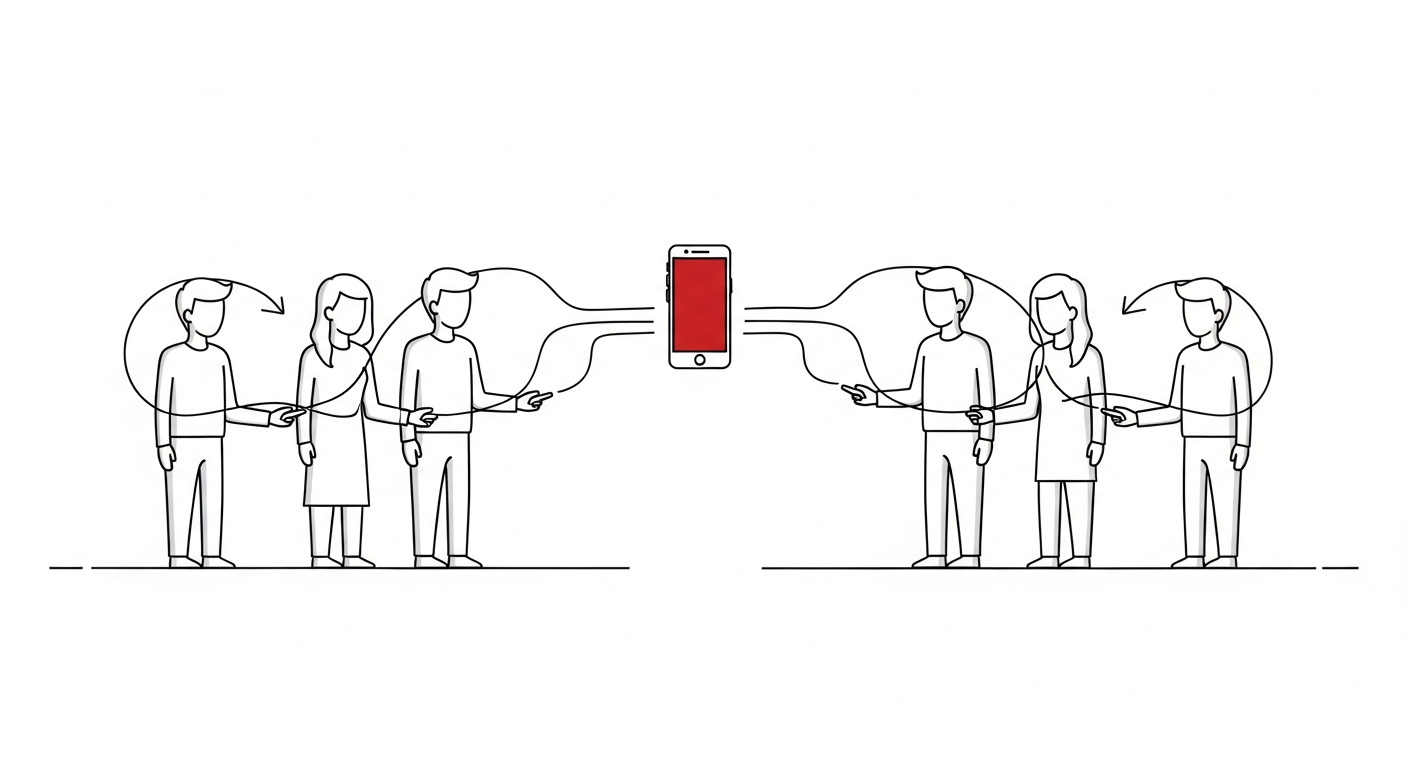
By the end of a busy week, hundreds of overlapping messages lived on one personal phone. The filing cabinet had another stack of paper. And there was still no clean way to see which drivers had confirmed, which trips had changed, or which conversations still needed follow-up.
That’s the hidden cost of running critical workflows through paper forms and a personal phone.
The spreadsheet wasn’t the problem
A sales rep for a SaaS platform would have replaced the sheet, moved the team to their platform, trained them on it, and charged for the migration and other fees.
But the team had built real fluency with their spreadsheet. The month tabs matched how they thought about the work. The columns matched how they organized the day. They could find a trip from three months ago by clicking into the February 2026 tab.
So the spreadsheet stayed. The job was to improve it.
What I added, in plain English
Over the week, I built around the existing structure. Same monthly tabs. Same columns. Everything they already knew was still in the same place.
Here is what got added on top, in plain language.
A staff dashboard - One screen that shows the day’s trips, who has confirmed, who hasn’t, what’s missing, and what’s blocked. The action center for the office. Anything a coordinator needs to do for today’s trips happens here.
Trip IDs across every month tab - Each activity trip gets a unique ID when it’s scheduled, and the IDs sync into a Trips list that the dashboard reads from. The dashboard shows every trip for every month from one place, but the staff still edits in the month tab they already use, or saves it on the dashboard, and the associated tab and row save automatically.
Driver confirmation links. Each driver gets a unique link instead of a personal text. They open it on their phone, see their trip, and confirm or send back an edit request. The links go out via Twilio from a company phone number I set up for them, so the coordinator’s personal phone is out of the loop. The reply or confirmation goes directly back into the Google Sheet, not into someone’s text thread and photo album.
A bilingual driver page - The team mentioned that a lot of their drivers only speak Spanish. So the driver page that opens from their confirmation link shows in English and Spanish. That suggestion came from the office and made it more helpful right away.
Report status tracking - Every trip carries a clear status. Sent, confirmed, pending, edit requested, canceled. The dashboard shows at a glance which ones still need attention.
Send blocking - The send button refuses to fire when something is wrong: a missing driver, a missing phone, an unresolved edit request, or a canceled route. The system prevents a coordinator from sending an inaccurate report, rather than trusting that nobody will ever miss a check.
Safer driver matching - When a driver's name in the schedule does not cleanly match a contact roster entry, the system pauses instead of guessing.
Search and filtering across the whole dashboard.
An edit request form under the confirmation button on the driver report, for the driver to fill out and send back to the office, which is then updated back in their Google Sheet.
A monthly tab refresh process to keep the system in sync as new months are added. Import and audit tools for cleaning up the data when something looked off.
A custom GPT using knowledge files only and no capabilities. This gives them the benefit of a custom GPT to help them with any questions, without letting chat accidentally touch the live sheets.
The shape of the office’s workflow stayed the same. Open the spreadsheet, schedule the trip, and hit send. What changed is everything that used to happen on the personal phone and in paper filing — confirmations, status tracking, and report accuracy are now handled inside the system.
How I built it
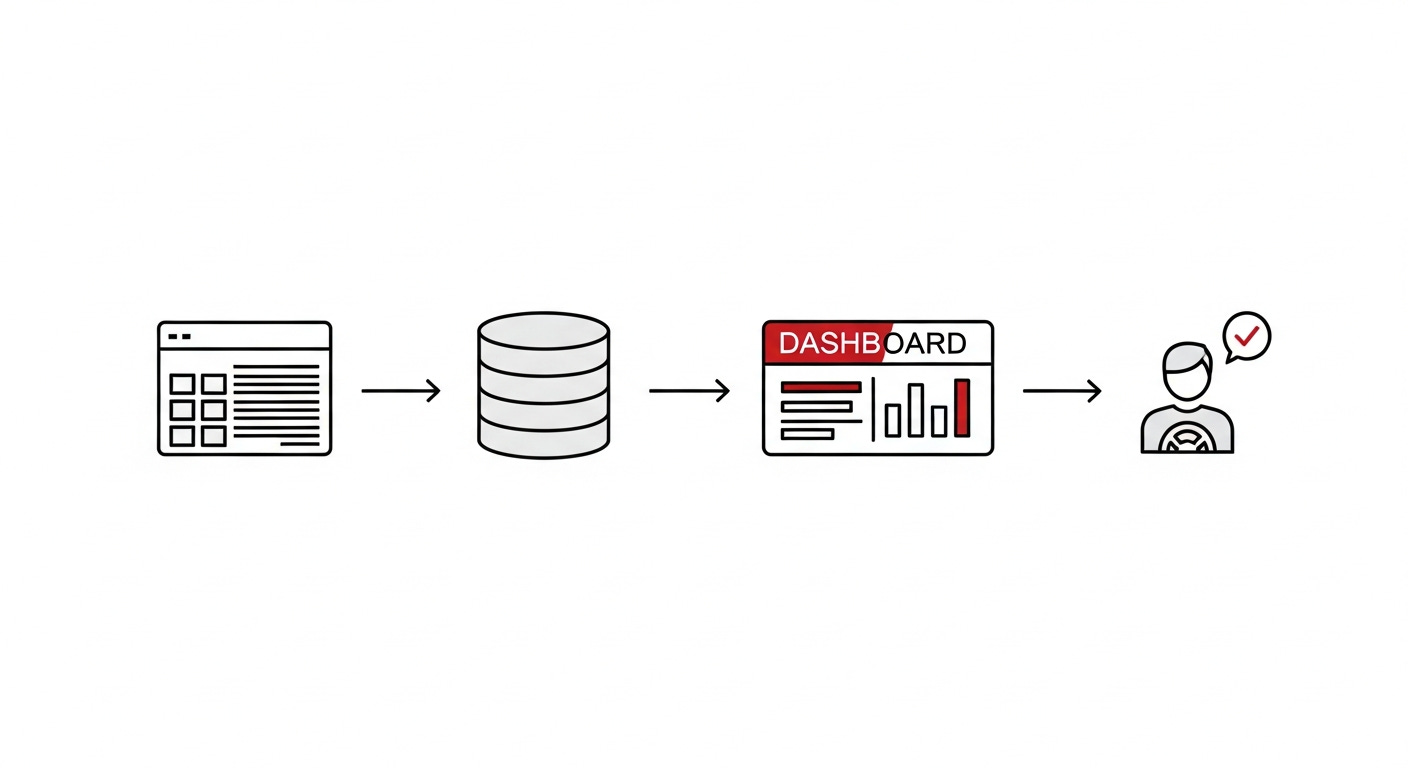
I built it with Codex using Google Apps Script and JavaScript. It runs inside Google Sheets with custom menus, structured month tabs, a Trips database tab, and an office dashboard. A connected Apps Script web app powers the driver confirmation page, where drivers can confirm trips or request edits. Twilio handles SMS delivery, so confirmation links are sent from a dedicated phone number instead of an employee’s personal phone.
The middle of a project is where the real work happens
The first version had problems I expected to run into. The key is patience.
Here are some of those problems:
Buttons didn’t always fire on the first click. Search worked fine for the current month, but records that were missing were sitting in older tabs. A driver’s full name in the contact roster didn’t match a partial name on the schedule, so the system flagged the trip as ambiguous when, in reality, a person could see they were the same. Some month tabs had columns shifted by 1 because someone had pasted the data in the wrong column.
Old records had to be cleaned up and archived to speed up the dashboard. As more older data accumulated, the dashboard started loading slowly enough that a coordinator would notice. I had to rework how it queried the underlying data. The driver page needed Spanish, which meant rebuilding the layout to support both languages cleanly.
Other issues only showed up once the workflow started acting like a real system. Some times came back from Google Sheets as strange date values instead of readable pickup times. Dropdowns that worked on one version of a month tab could appear in the wrong column after the layout changed. And fields that looked simple at first, like “End Time,” were not always times. Sometimes they were instructions like “Drop Off Only.”
Those challenges turned out to be valuable because they helped me identify what areas needed improvement. What mattered was staying close to the team while solving problems, rather than disappearing for weeks and returning with something that didn’t actually fit their workflow.
I stayed in the office, and the team pointed out problems as soon as they came up. I worked through each one the same day it appeared.
By the end of the week, it was nearly perfect.
What changed for the office
One week later, that same office was still using the same Google Sheet. Same monthly tabs. Same columns. Same way of thinking about the work. But the handwritten reports, personal phone messages, scattered confirmations, and manual follow-ups were gone.
The result: A process that used to take about 4 hours a day now takes closer to 1 hour. That’s roughly 15 hours saved every week without forcing the team into a new platform.
They can search trips, preview PDFs, generate test links, send reports by SMS, track confirmations, handle driver edit requests, and even use bulk/date-based sending when a group of trips is ready. The result is less repetitive work, fewer places for information to get lost, and a clearer process that fits into how the office was already operating, but in a complete workflow.
(Note: I had to censor sensitive data for the screenshots!)
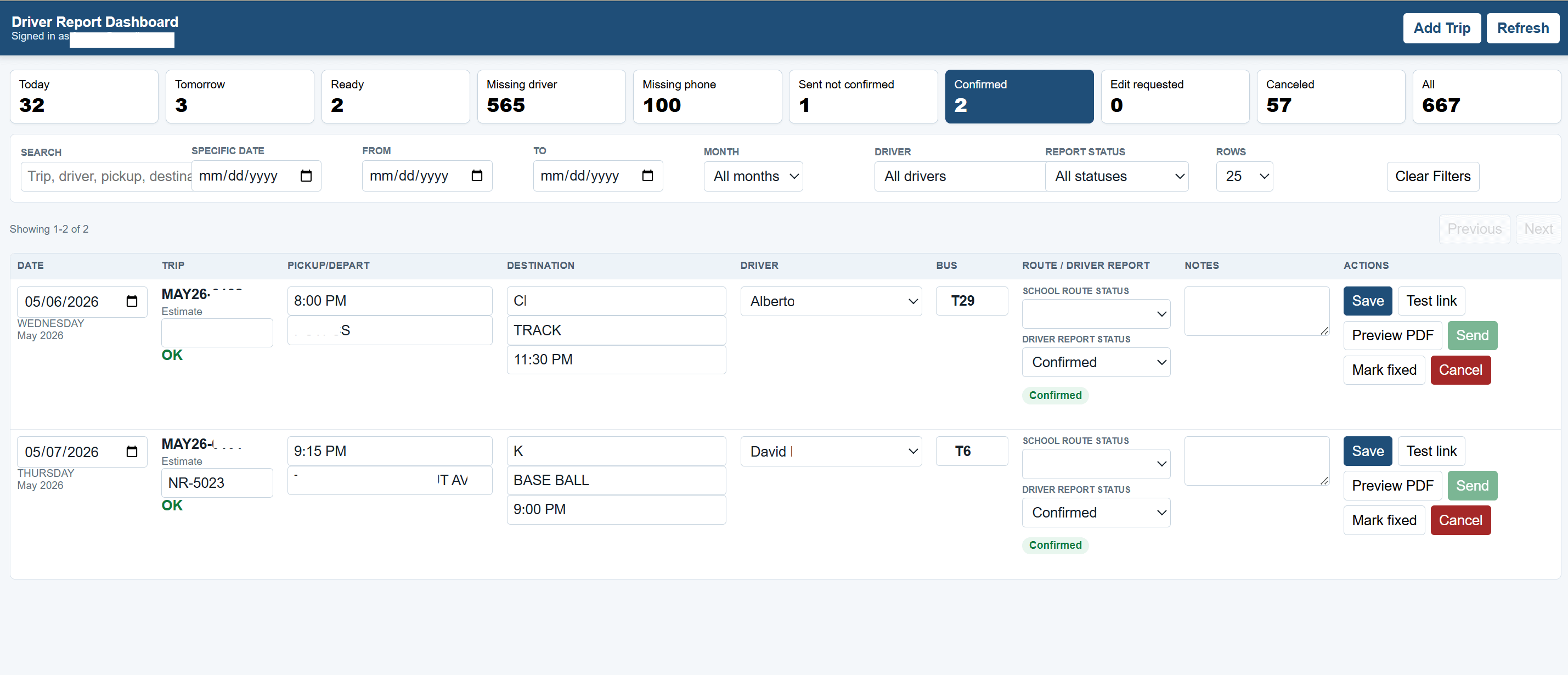
Confirmations are now visible on the dashboard and the trips tab. A coordinator can see at a glance which drivers have confirmed and which haven’t, rather than scrolling through a phone thread.
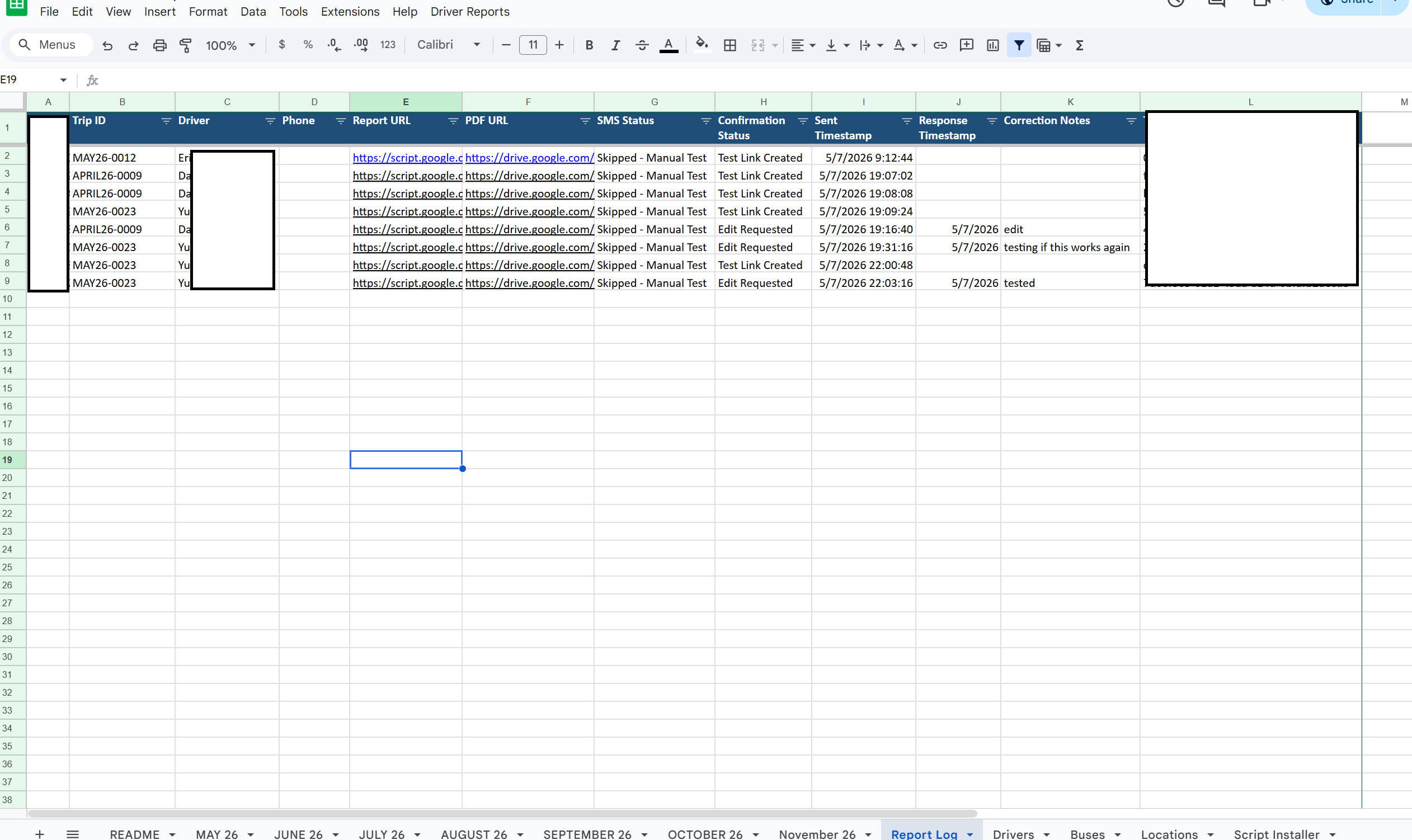
Edit requests don’t get buried. They appear in their own column and must be cleared before a report can go out. You can also view the same updates in the Report Log Tab I added to the spreadsheet.
The personal phone is no longer the system. The office is not dependent on one staff member’s phone for the operation to function.
It will send them a link to the driver report for them to confirm or edit.
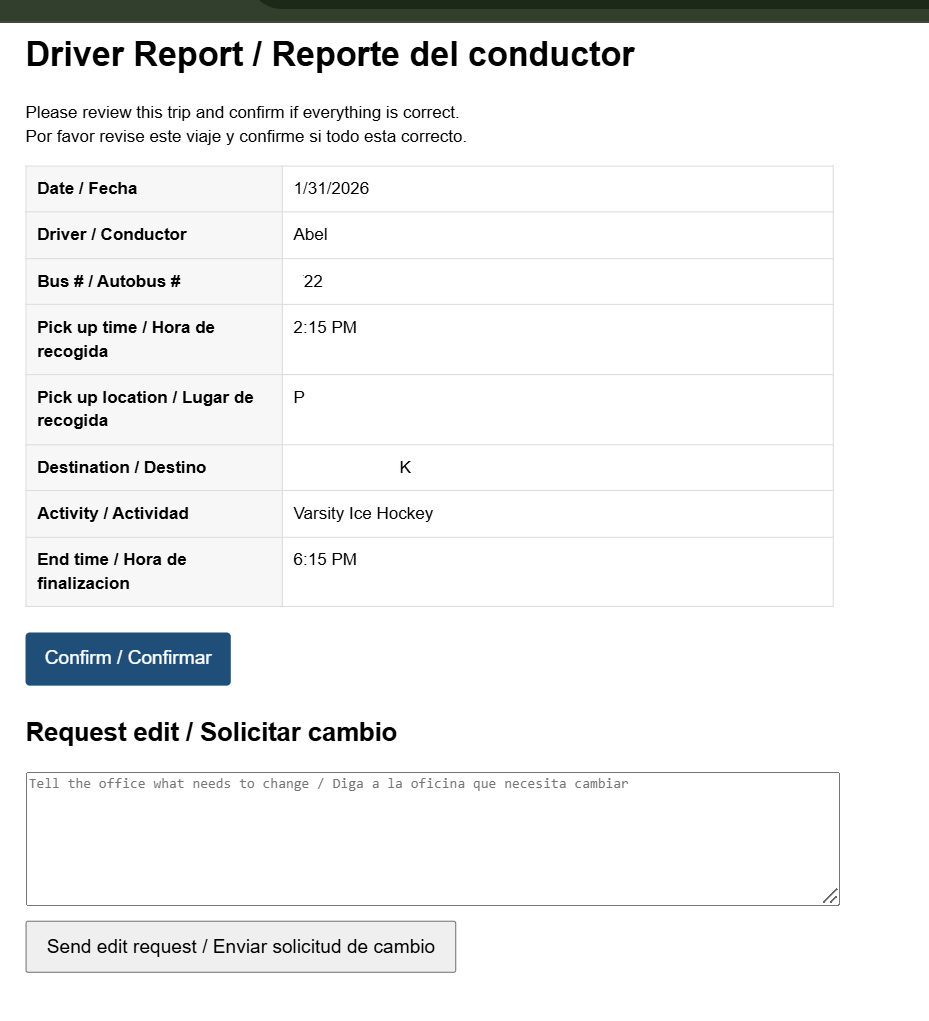
After confirmation, it will automatically create a PDF file of a pre-filled report and store it in Google Drive under the Report Log tab. No more handwritten reports!
Reports stop sending when something is wrong. Before, an incomplete report might go out because a coordinator was rushing. Now the send button refuses, and the dashboard tells the coordinator exactly what is missing.
Drivers who only speak Spanish can read their trip in Spanish to avoid any miscommunication.
Within the first few days, the team understood it completely since it was similar. Sarah told me she had not realized how much of her day she was losing before.
The win was not just faster confirmations or cleaner reports. The win was giving the team back time, attention, and control over work that used to live in constant follow-up.
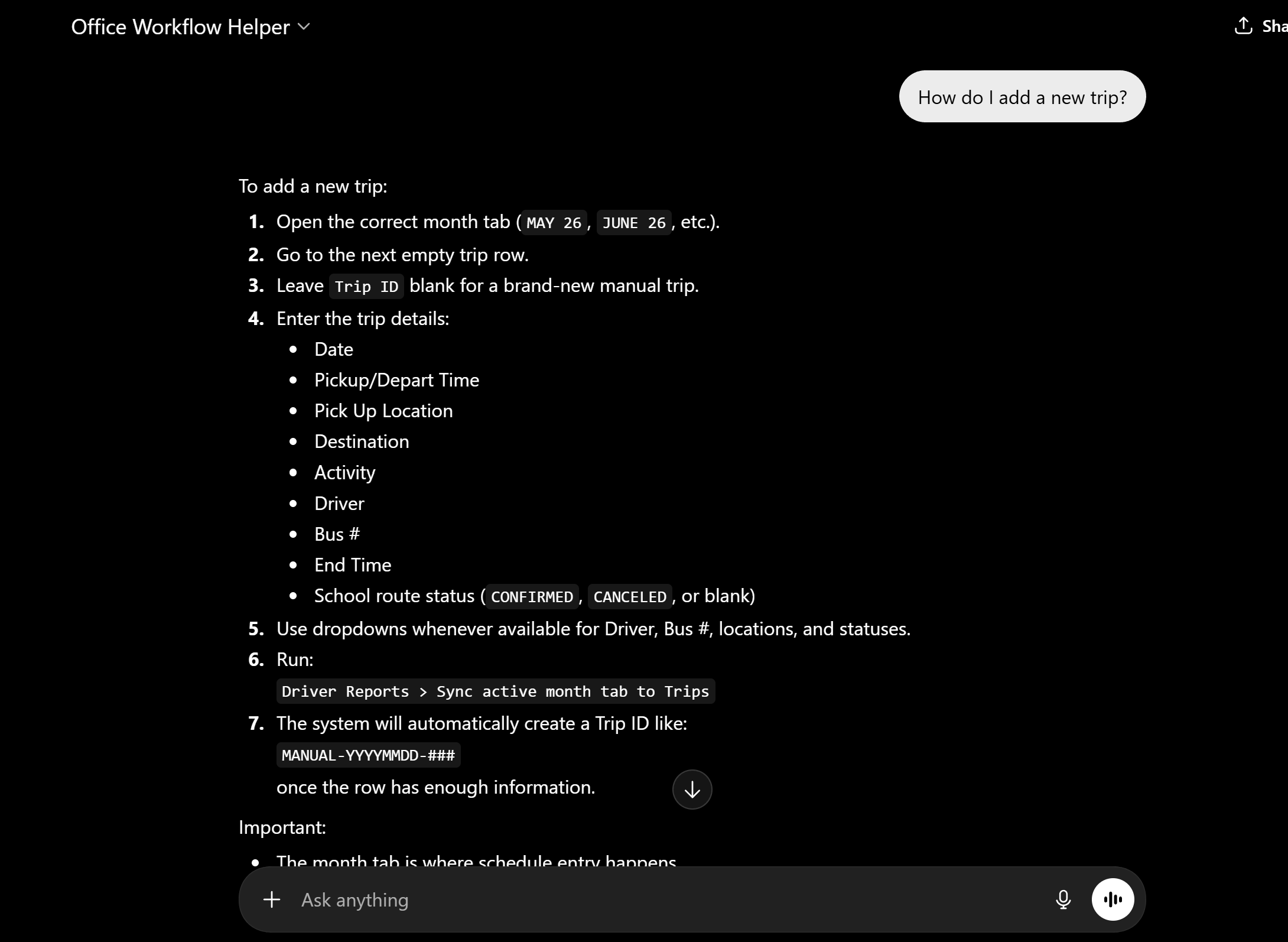
Lastly, this custom GPT gives them the benefit of AI, without the risk of it touching anything live. The GPT can answer questions, explain processes, and help the team using only the uploaded knowledge files. It has no capabilities, so it cannot access the live sheets. It works more like a smart internal assistant. Useful for day-to-day support, or teaching someone new in the office how to learn their workflow.
What this kind of project teaches
Don’t automate a broken process. If manual coordination is inconsistent, automating it just sends those inconsistencies faster. Most of this project focused on tightening the process alongside the tools, so the new workflow was both faster and more accurate. I always start with the goal and work backward.
A “simple” spreadsheet project always hides two things. The data is messier than anyone admits, and the team carries the business rules in their heads. Old months had shifted columns and ambiguous driver names that nobody had touched in a year. Driver matching alone took several attempts.
A clear, well-defined process does more work than clever features.
The first version of any system has problems you don’t predict. But the shorter the loop is between “we noticed something” and “it’s fixed,” the faster the team trusts the improved workflow. Someone who disappears for two weeks or works remotely won’t have the same effect as being there in person.
The best automation feels familiar to the people using it. The team didn’t have to learn a new platform. They opened the same spreadsheet they always opened. The new pieces sit on top, accessible when needed, invisible when not.
Final thought
The point of this project was patience. The team had a workflow that mostly worked. I sat with them long enough to see which parts were costing them time, then built around the ones worth keeping. Two days of watching, 1 week of building and testing, and a workflow they recognize as theirs because most of it still is.
If your operation is being held together by repetition, a personal phone, or someone’s memory, there’s real time hiding inside your existing tools.
That’s the kind of projects I help with.
-Frank
P.S. If you found this post helpful, please like and repost it so that other thoughtful people can join the conversation. Thank you!

I get a special thrill when I see my templates, files, and databases still in use years later.